
Is Webflow Worth It? The Complete Honest Guide for 2026
Is Webflow worth the investment? An honest breakdown of pricing, ROI, and who it's really built for.
Table of contents
Free Website Audit
We'll personally review your website across 6 areas. UX, SEO, performance, mobile, conversion, and send you a detailed, actionable report within 48 hours. No cost. No catch.
Webflow is worth it for the vast majority of modern businesses — particularly SMEs, marketing-led teams, and agencies that need design flexibility, strong SEO, and low ongoing maintenance. Its higher upfront cost compared to WordPress templates is offset within 12–18 months by eliminated plugin spend, reduced developer dependency, and superior performance. The main caveats: Webflow has a real learning curve, is not suitable for complex web applications requiring custom backend logic, and its pricing model rewards annual commitment. This guide covers every dimension honestly — pricing, ROI, learning curve, comparisons, and who it genuinely suits — so you can make the right call for your business.
Every few years, a web platform earns genuine momentum — not from marketing spend, but from word of mouth amongst developers, designers, and frustrated business owners. In 2026, Webflow has reached that point. It is no longer a niche tool for pixel-obsessed designers. It is the platform of choice for a rapidly growing segment of businesses that have outgrown the compromises of WordPress, Wix, and Squarespace.
But 'everyone's talking about it' is not a sufficient reason to migrate your website and invest in a new stack. The real question is more specific: is Webflow worth it for your business, your team, and your budget?
This guide gives you an honest, complete answer — drawing on our experience building and migrating Webflow sites for clients across Singapore and South-East Asia at ALF Design Group.
1. What Is Webflow, Really?
Before we discuss value, it helps to be precise about what Webflow actually is — because it is commonly misunderstood.
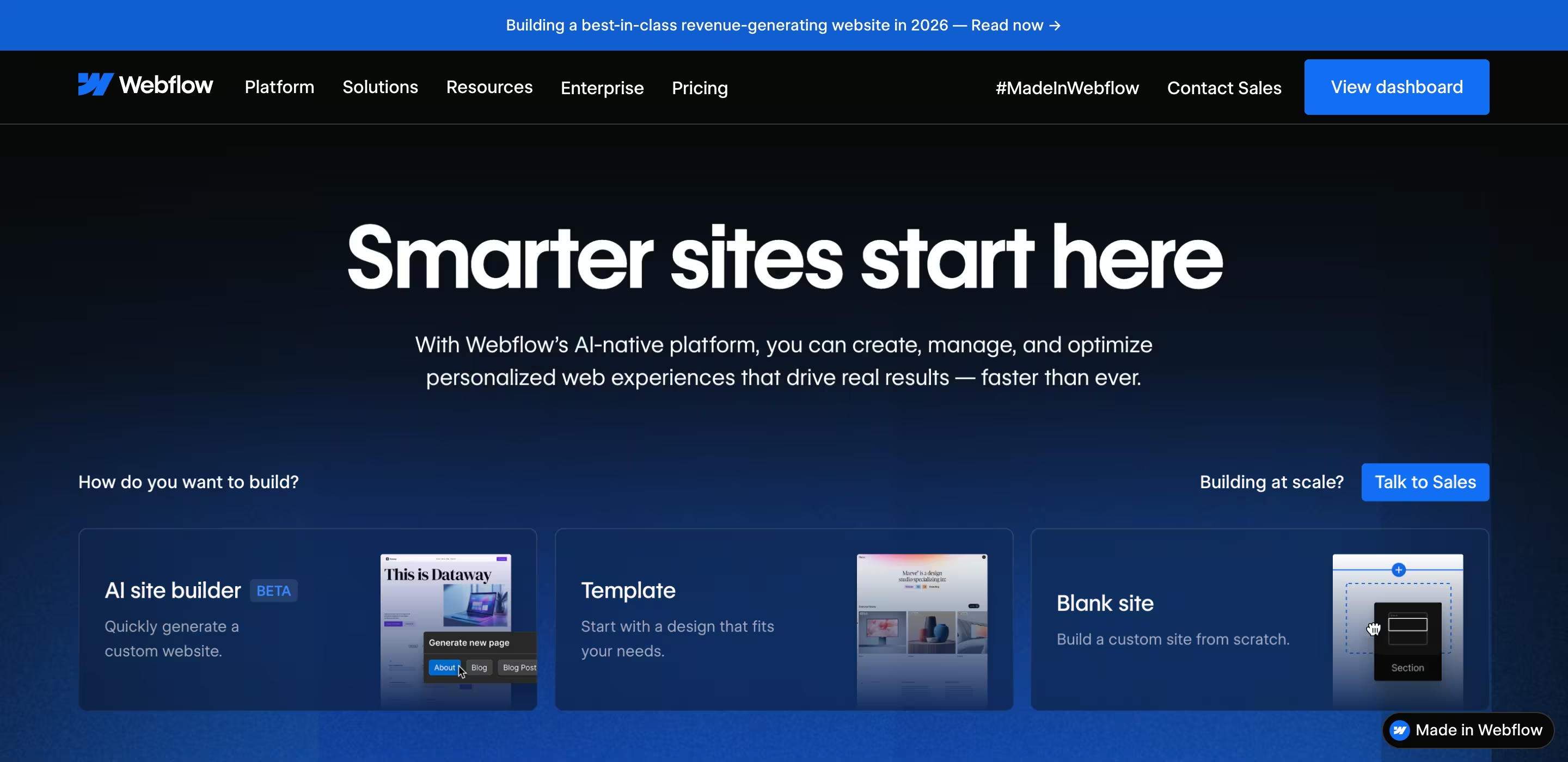
Webflow is a visual web development platform that generates clean, production-ready HTML, CSS, and JavaScript without requiring you to write code manually. It combines a visual designer, a built-in CMS, enterprise-grade hosting on AWS with Fastly CDN, and native SEO tools — all in one product, with no plugins required.
The most important thing to understand is what Webflow is not:
- It is not a website builder in the Wix or Squarespace sense — it offers genuine design freedom, not template-constrained customisation
- It is not a page builder plugin for WordPress — it is a fully independent platform
- It is not a no-code tool in the hobbyist sense — it is a professional-grade development environment that produces code comparable to hand-coded sites
A useful way to think about it: Webflow is Figma + front-end development + CMS + hosting in a single product. Our piece on what businesses need to know before building in Webflow goes deeper into the platform architecture if you want the technical background.
2. Who Is Webflow Actually Built For?
Webflow is not the right platform for everyone. Understanding where it genuinely excels — and where it does not — is the most useful thing we can do before discussing cost.
Small Businesses and SMEs
Webflow is an excellent choice for small businesses that need a professional, high-performing website without a large ongoing development budget. The absence of plugins eliminates the most common sources of WordPress technical debt — broken updates, security vulnerabilities, and accumulating maintenance costs.
The trade-off is a higher upfront build cost compared to a WordPress theme, and a more hands-on content management experience for non-technical users. For businesses where the marketing function is handled by one or two people who are prepared to spend a few hours learning the Webflow Editor, this is a worthwhile investment.
Marketing-Led Teams
Marketing teams love Webflow because it removes developer bottlenecks. In a traditional WordPress environment, a landing page update that should take twenty minutes often requires a developer ticket, a staging environment, and a review cycle. In Webflow, a confident marketer can make the same change in the Webflow Editor directly — no developer required.
For campaign-driven businesses where speed-to-market is a competitive advantage, this operational freedom has measurable commercial value.
Agencies and Freelance Designers
Webflow was designed with designers in mind. The ability to work with real content in a visual environment, build reusable component systems, and hand over a CMS that clients can manage confidently makes it a significantly better agency delivery tool than WordPress. Our article on why businesses prefer Webflow for website design covers the agency perspective in full.
When Webflow Is Not the Right Choice
Webflow has genuine limitations, and it would be dishonest to gloss over them:
- Complex web applications: If your project requires custom backend logic, user authentication systems, complex database relationships, or server-side processing, Webflow is not the right tool. It is a front-end platform, not a full-stack framework.
- Deep e-commerce requirements: Webflow's native e-commerce is suitable for straightforward product catalogues. If you need complex inventory management, multi-currency pricing, subscription billing, or a large SKU library, a dedicated platform such as Shopify is more appropriate.
- Micro-budget projects: If your budget is under S$3,000 and you are comfortable with template constraints, a WordPress theme or a simple Squarespace site may be a more pragmatic choice.
- Teams resistant to learning new tools: Webflow has a learning curve. If your content team is unlikely to invest the time to learn it, the platform's advantages are diminished.
3. Webflow Pricing in 2026: What You Actually Pay
Webflow's pricing is one of the most Googled topics in this space — and also one of the most misunderstood. There are two distinct pricing categories: Site Plans (for hosting your published website) and Workspace Plans (for the design and build environment).
Site Plans
Site Plans determine your hosting tier and CMS capabilities. Here is the current breakdown:
Note: Monthly (non-annual) billing costs approximately 25–30% more per month. For most businesses, annual billing is the right call.
For a comprehensive breakdown of every plan tier and what each includes, our dedicated Webflow pricing guide covers it in full detail, including Workspace plans for agencies and teams.
The True Cost of Ownership: Webflow vs. WordPress
Comparing Webflow's monthly plan cost to a 'free' WordPress installation is a false comparison. The real number is the total cost of ownership over 24 months — including hosting, plugins, themes, maintenance, developer time, and security management.
*Webflow site plan cost only. Build/migration cost is separate and depends on scope.
For most SMEs, Webflow's total cost of ownership over a 24-month period is significantly lower than WordPress — even before accounting for the value of eliminated developer bottlenecks and improved performance.
4. Is Webflow Worth the Learning Curve?
This is the question we hear most frequently from businesses considering Webflow — and it deserves an honest answer.
Yes, Webflow has a learning curve. It is steeper than WordPress's Gutenberg editor or Squarespace's drag-and-drop interface. It is also shallower than learning actual front-end development. Where it sits depends on your role:
For Designers and Developers
The learning curve for designers with a background in CSS and layout is typically two to four weeks before they feel productive. Developers with front-end experience often describe it as 'finally seeing their mental model rendered visually.' The investment is consistently reported as worthwhile within the first one to two client projects.
For Marketers and Content Managers
The Webflow Editor — the content-facing interface used by non-designers — is substantially simpler than the Designer. Most marketing professionals describe it as more intuitive than WordPress's Gutenberg editor after one to two hours of guided onboarding. The key distinction: content managers work in the Editor, not the Designer. The complexity lives in the build, not the day-to-day use.
For Business Owners
If you are evaluating Webflow as a platform for your business rather than planning to build in it yourself, the learning curve is less relevant. What matters is whether your development partner or agency can build effectively in Webflow, and whether your team can manage content after handover. The answer to both is yes — with a properly structured build and a short onboarding session.
Resources to Learn Webflow Faster
- Webflow University — free, comprehensive, and genuinely excellent
- Webflow's official YouTube channel — particularly the 'Webflow 101' crash course
- Community forums and the Webflow Experts programme for peer support
5. Is Webflow Good for SEO?
Very. In our experience building and managing Webflow sites, it is consistently the most SEO-capable platform available without requiring a developer to implement technical SEO requirements from scratch.
Here is what Webflow gives you out of the box:
- Editable meta titles, meta descriptions, and Open Graph tags per page and per CMS item
- Clean semantic HTML output — no plugin-generated bloat
- Automatic sitemap.xml generation and submission
- Built-in 301 redirect manager — critical for migrations and URL restructuring
- Canonical tag control — prevent duplicate content issues without a plugin
- Robots.txt customisation
- Schema markup support via custom code embeds
- Fast page load times via AWS + Fastly CDN — directly influences Core Web Vitals
Google's ranking algorithm increasingly weights page experience signals — particularly Core Web Vitals. Webflow sites consistently score well on these metrics due to clean code output and CDN delivery. Our dedicated article on how Webflow SEO helps Singapore businesses rank higher on Google covers the technical details, and our piece on Webflow for SEO in the AI era addresses how AI search affects platform choice.
6. Webflow vs. The Alternatives
The 'is Webflow worth it' question is always a relative one. Here is how it stacks up against the platforms it most frequently replaces.
Webflow vs. WordPress
WordPress remains the world's most widely used CMS, which means it has an enormous ecosystem, extensive documentation, and near-universal developer familiarity. For large, content-heavy sites with complex plugin requirements, or organisations with in-house WordPress developers, it remains a reasonable choice.
For most growing businesses, however, WordPress's plugin dependency model is its critical weakness. Every plugin is a potential security vulnerability, a maintenance burden, and a conflict risk. Webflow eliminates this entire category of risk.
We have written a detailed Webflow vs WordPress comparison for 2026 that covers performance, cost, SEO, and content management in full.
Webflow vs. Wix
Wix is easier to get started with than Webflow — that much is true. For a one-person business with a simple five-page site and no ambitions to rank on Google, Wix is a legitimate option. For any business serious about design quality, SEO performance, or scalability, Wix falls short on all three. Our Webflow vs Wix breakdown covers the specifics.
Webflow vs. Squarespace
Squarespace occupies similar territory to Wix: highly accessible, template-driven, and optimised for simplicity over performance. Its design templates are genuinely attractive, but the platform trades design flexibility for ease. Businesses that outgrow Squarespace typically do so because they cannot achieve the specific layouts or CMS structures they need.
Webflow vs. Framer
Framer is an increasingly popular Webflow competitor, particularly among product designers. It offers comparable design freedom and a faster initial build experience. Its CMS is less mature than Webflow's, its SEO controls are less granular, and its ecosystem is smaller. For marketing-led businesses with complex content requirements, Webflow remains the stronger choice. Framer is worth watching, particularly for landing-page-focused projects.
7. Real Business Results: What Webflow Delivers in Practice
Platform debates can get abstract quickly. Here is what Webflow has delivered for real clients we have worked with at ALF Design Group.
Partipost: From WordPress to Webflow
Partipost is one of South-East Asia's leading influencer marketing platforms. Operating on a WordPress site with accumulating plugin overhead, their marketing teams across the region were dependent on developer involvement for even minor content updates. After migrating to Webflow, they saw a 30% reduction in page load times, and their regional content managers in Singapore, Indonesia, and Taiwan were able to publish and update content independently from day one. See the Partipost portfolio case study for full details.
BigFundr: Structure and Security for Fintech
BigFundr is a Singapore-based investment platform operating in a regulated financial services environment. Their previous Odoo-based website could not support the design ambitions and content velocity their marketing team required. The migration to Webflow gave them structured CMS collections for investment product listings and editorial content, faster landing page iteration, and a security posture appropriate for a MAS-regulated platform. Read the full BigFundr case study.
MusePlus: Rebuilding After a Security Breach
MusePlus, a Singapore-based events company, moved to Webflow following a serious security breach on their self-hosted infrastructure. The migration eliminated the attack surface that had made them vulnerable, and delivered a faster, mobile-first website that their small team could manage without developer involvement.
8. Is Webflow Worth It for Singapore Businesses Specifically?
Singapore's digital landscape has some characteristics that make Webflow a particularly compelling choice.
First, performance expectations are high. Singapore internet users are accustomed to fast, responsive digital experiences, and a slow-loading website is a meaningful conversion liability. Webflow's CDN-delivered hosting consistently delivers fast load times for Singapore-based users.
Second, the market is competitive and campaign-driven. Businesses that can launch new landing pages and update content quickly have a genuine edge. Webflow's Editor gives marketing teams that speed without developer dependency.
Third, compliance matters. Singapore's Personal Data Protection Act (PDPA) creates obligations around data handling that make platform security a business concern, not just a technical one. Webflow's hosted infrastructure — with automatic SSL, SOC 2 compliance, and zero plugin attack surface — reduces PDPA-related risk compared to self-hosted WordPress installations.
For Singapore SMEs evaluating total cost, our guide on website design costs in Singapore provides context on what a Webflow build typically costs in this market, and how it compares to other options.
For businesses in regulated sectors specifically, our article on why financial services firms are choosing Webflow covers the compliance and security considerations in detail.
9. Do You Need a Webflow Agency, or Can You DIY?
This depends on the complexity of your project and the internal capability of your team.
For straightforward five-to-eight-page brochure sites without custom CMS requirements, a confident designer who has completed Webflow University's core curriculum can build a functional site independently. The ecosystem of Webflow templates also provides a starting point for simpler projects.
For anything more complex — an established site with SEO value that needs to be migrated without traffic loss, a CMS-driven site with multiple content types, a site requiring custom animations or integrations, or a project with a fixed deadline and no room for a learning curve — working with an experienced Webflow agency is the more reliable path.
The risks of a poorly executed Webflow build include SEO regression from incorrect migration handling, CMS structures that do not scale with your content strategy, and performance issues from unoptimised assets or incorrect hosting configuration. These are recoverable, but costly.
At ALF Design Group, we specialise in Webflow development, Figma-to-Webflow builds, and ongoing Webflow maintenance for clients across Singapore and the region.
Frequently Asked Questions
Is Webflow worth it for small businesses?
Yes, for most small businesses. Webflow eliminates plugin costs, reduces developer dependency for content updates, and delivers better SEO performance than most alternatives. The higher upfront build cost is typically offset within 12–18 months by eliminated maintenance spend. The main caveat: it is a better investment if your team is willing to spend a few hours learning the Webflow Editor for day-to-day content management.
How much does Webflow cost per month?
Webflow Site Plans range from $14/month (Basic, billed annually) to $39/month (Business, billed annually) in USD — approximately S$19 to S$53/month. Enterprise plans are custom-priced. These are hosting costs only; build costs depend on your project scope and whether you work with an agency or freelancer.
Is Webflow worth learning as a skill?
Yes, particularly for designers and front-end developers. Webflow competency is increasingly in demand as agency and in-house teams migrate away from WordPress. Webflow University provides a free, structured curriculum, and most designers report feeling productive within two to four weeks of focused study. For those building a career in web design, Webflow is one of the highest-value tools to add to your skill set in 2026.
Can Webflow replace WordPress?
For the majority of marketing websites — yes. Webflow matches or exceeds WordPress on performance, SEO capability, security, and content management for standard use cases. WordPress retains an advantage for very large content libraries, complex plugin-dependent functionality, and organisations with significant existing WordPress investment. For a detailed comparison, see our Webflow vs WordPress article.
Is Webflow good for SEO?
Very good. Webflow gives you clean semantic HTML, per-page meta control, sitemap management, 301 redirect tools, canonical tags, and fast CDN-delivered load times — all without plugins. Sites built correctly in Webflow consistently perform well on Core Web Vitals, which Google uses as ranking signals. It is one of the most SEO-capable platforms available for marketing websites.
What are the main disadvantages of Webflow?
The primary limitations are: a steeper learning curve than template-based builders; not suitable for complex web applications requiring custom backend logic; CMS item limits on lower-tier plans; e-commerce functionality that does not match dedicated platforms like Shopify for complex catalogues; and a pricing model that requires annual commitment for best value. None of these are dealbreakers for typical marketing websites, but they are worth understanding before committing.
Is Webflow secure?
Yes. Webflow runs on AWS hosting with Cloudflare, automatic SSL, daily backups, and SOC 2 compliance. Because there are no plugins, the attack surface that makes WordPress sites vulnerable to security breaches does not exist in Webflow. For businesses operating in regulated industries or handling sensitive user data, this is a meaningful advantage.
How long does it take to build a Webflow website?
Timeline depends on scope. A straightforward five-to-eight-page marketing site typically takes two to four weeks. A complex site with multiple CMS collections, custom animations, and third-party integrations typically takes six to twelve weeks. Migration projects add time for auditing, redirect mapping, and content transfer. Working with an experienced Webflow agency reduces timeline risk significantly.
Does Webflow support multilingual websites?
Yes. Webflow Localize is the platform's native multilingual solution, available as an add-on to standard plans. It supports content translation at the CMS item level, locale-specific meta tags, and hreflang implementation. For Singapore businesses serving multilingual audiences — English, Mandarin, Malay — this is a fully supported use case.
What happens to my website if I stop paying for Webflow?
If you cancel your Webflow site plan, your site will go offline but your project and CMS content remain accessible in your Webflow workspace. You can export your site as static HTML at any time, though this removes CMS functionality. Your content is fully portable via CSV export. Webflow does not hold your content hostage, which is worth knowing if portability is a concern.
The Verdict: Is Webflow Worth It?
For most modern businesses, yes — Webflow is worth it. The combination of design flexibility, strong SEO foundations, low maintenance overhead, and genuine content management capability makes it the most complete platform available for marketing-led websites in 2026.
The businesses that get the most value from Webflow are those that treat the build as a strategic investment rather than a commodity expense. A properly built Webflow site — with a clean CMS architecture, SEO-ready structure, and a team that knows how to use the Editor — will outperform a hastily assembled WordPress site on every metric that matters to a growing business.
The businesses that are disappointed by Webflow are typically those that underestimated the learning curve, chose the wrong plan for their content needs, or migrated without proper redirect planning and suffered temporary SEO regression.
If you are seriously evaluating Webflow for your business and want to understand what a properly built site would look like — and what it would cost — we would be glad to walk you through it. ALF Design Group is a Webflow agency based in Singapore, and we have built and migrated sites across fintech, professional services, SaaS, and consumer brands. Book a free strategy call here.
{{build-better-experience="/directory"}}
Categories
Written By
.webp)
Resources
Related Articles
Deep dive into our latest news and insights.
.avif)

